enhancewizard
Menu

PHOTO CARE GUIDE

Old photo restoration

A family photograph is both an image and a record. Start with a good scan, preserve the untouched file, and separate physical damage repair from general enhancement.

This is a preparation and review guide. Dedicated scratch and tear repair is not available in this release.

Try Standard photo enhancement ↗
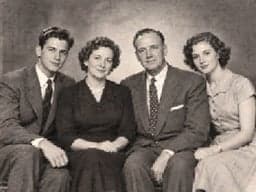
Fictional black-and-white family studio portrait in 1950s-style clothing
AI-generated fictional period portrait · not a restoration result.

A PRACTICAL WORKFLOW

Prepare, improve, inspect.

A family photograph is both an image and a record. Start with a good scan, preserve the untouched file, and separate physical damage repair from general enhancement.

Begin with the scan, not the damage filter

Handle fragile photographs by their edges and avoid forcing curled or brittle prints flat. Scan at a resolution suited to the print size, saving a lossless master before editing. If photographing a print, use even light and keep the camera parallel to avoid glare and distortion. For torn or valuable originals, consult a conservation specialist before physical treatment.

Restore old photos in separate passes

First correct rotation and crop in a photo editor. Repair scratches and missing areas with a dedicated retouching workflow, then adjust tone and contrast. Finally, try modest enhancement on a copy. EnhanceWizard Standard can be tried for mild softness; dedicated scratch removal, missing-area reconstruction and automatic colorization are not available here.

Check family portraits and uniform details

Compare facial proportions, jewelry, insignia and lettering with the original scan. These small marks may carry historical meaning. An AI-generated detail can look convincing while being wrong. Store edited and original files separately, and record whether a version was retouched or colorized when sharing it with relatives.

GOOD QUESTIONS

Before you begin.

Does EnhanceWizard remove scratches and tears?

Dedicated scratch and tear repair is not available in this release. Standard enhancement may improve mild softness, but it cannot fill missing parts of a print reliably.

Should I restore an old photo before colorizing it?

Usually, make a careful scan and repair damage first. Keep separate copies for restoration and interpretive colorization so the original record remains available.

Can face enhancement recover an ancestor's exact face?

No. Face restoration can estimate details and alter identity. Compare with other family photographs and avoid presenting reconstructed details as historical facts.

FROM THE JOURNAL

Related photo enhancement tutorials

Read the blog ↗