enhancewizard
Menu

COLORIZATION GUIDE

Colorize black and white photos

Colorization offers an interpretation of a black-and-white photograph. The grayscale values do not tell you the original colors of clothing, paint or skin.

This is a preparation and review guide. Dedicated colorization is not available in this release.

Try Standard photo enhancement ↗
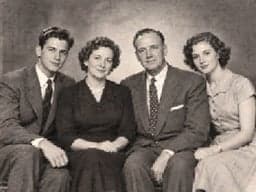
Fictional black-and-white family studio portrait in 1950s-style clothing
AI-generated fictional period portrait · not a colorization result.

A PRACTICAL WORKFLOW

Prepare, improve, inspect.

Colorization offers an interpretation of a black-and-white photograph. The grayscale values do not tell you the original colors of clothing, paint or skin.

Prepare a clean black-and-white master

Use the best available scan, remove distracting borders on a copy and correct uneven exposure. Repair obvious damage before colorization so scratches are not treated as objects. Save the grayscale master independently. Standard enhancement here can help mild softness; EnhanceWizard does not currently provide a black-and-white-to-color engine.

Use period references instead of a decade filter

For a 1900s image, look for evidence about fabrics, uniforms and the setting. For a 1950s or 1980s photograph, contemporary color photographs may provide clues. A decade alone cannot determine a dress or wall color. Collect references and adjust a colorized draft in an editor rather than assuming one automatic palette is historically correct.

Review color boundaries and skin tones

Check hands, faces, hair and overlapping clothing for color bleed. Look for inconsistent colors on the same object or patches that do not follow lighting. Share a colorized image with a clear label, especially in archives and family histories. Retain a link or filename for the original black-and-white version.

GOOD QUESTIONS

Before you begin.

Can I colorize a black-and-white photo on this page?

This page is a preparation and review guide. Automatic colorization and decade palettes are not currently available in EnhanceWizard.

Are automatically generated colors accurate?

They are plausible estimates unless supported by independent evidence. Black-and-white pixels do not encode the original hue.

Is a sepia photograph the same as a colorized photograph?

No. Sepia is a tonal treatment of the image; colorization assigns different hues to individual subjects and areas.

FROM THE JOURNAL

Related photo enhancement tutorials

Read the blog ↗