enhancewizard
Menu

ROOMS, LIGHT & HONEST LISTINGS

Real estate photo enhancer

Enhance real estate and hotel room photos with Standard processing. Check room geometry and learn the limits of twilight and object-removal edits.

Light, space and straight linesTry a sample below
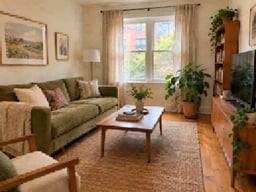
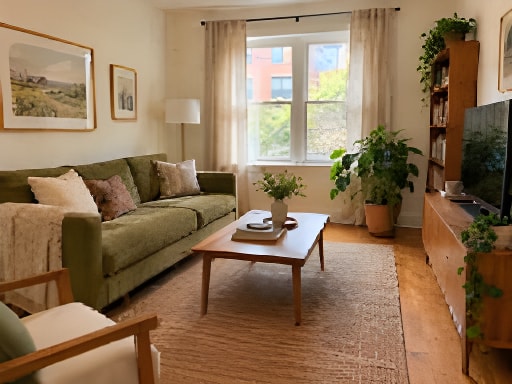
Bright apartment living room with an olive sofa and linen curtains, processed result
Simulated low-quality inputStandard 2× result

Drag the divider or use arrow keys in steps of five percent. Home and End show the full result or original.

Simulated low-quality input · actual Standard model outputAbout the examples ↗
No photo handy?

SEE THE SMALL DETAILS

Compare before you decide.

All examples ↗

Example originals are AI-generated simulated low-quality inputs, not customer photographs. Comparisons use actual Standard model outputs. Dimensions, scale and settings are shown for each evaluation; results vary by source.

THREE SIMPLE STEPS

Your photo, from upload to download.

  1. 01

    Choose a photo

    Upload, drop or paste a supported image. Your preview stays local until you start.

  2. 02

    Review and process

    Choose your goal and output. Check the dimensions, allowance and price beside the canvas.

  3. 03

    Compare and save

    Drag the divider, inspect at 100%, and download the version that works for you.

A CLOSER LOOK

What to look for in your result.

A room photo should show the space clearly and represent it faithfully. Start with modest enhancement and check the details a visitor would actually find in the property.

Improve clarity without changing the room

Use an original listing photograph and inspect window frames, door edges, furniture and floor texture. Standard can be tried for mild softness. Compare wide-angle corners carefully, where distortion and processing artifacts are more visible. Keep colors and apparent room proportions consistent with the source.

Twilight and decluttering need another workflow

A real estate twilight photo enhancer changes the lighting or sky; object removal changes the contents of a scene. Neither is a dedicated function of Standard enhancement. This release does not provide day-to-dusk conversion, relighting or decluttering. Prepare those edits in a suitable editor and review whether the listing accurately communicates altered areas.

Make hotel room sets consistent

Capture rooms using similar viewpoints and lighting, and correct white balance before enhancement if needed. Preserve original filenames and review each result independently. The account Batch workspace supports Standard image batches when paid processing is enabled; it does not currently provide a single ZIP download or automated listing export.

GOOD QUESTIONS

Before you begin.

Can I turn a daytime property photo into twilight?

Day-to-twilight conversion is not currently supported. Standard enhancement is a clarity workflow, not a scene-lighting editor.

Can the tool remove clutter from a room?

Dedicated object removal is not available. The enhancement should be compared with the original room and should not be treated as a decluttering tool.

Can I process a set of hotel room photos?

The signed-in Batch workspace supports up to ten Standard images when paid processing is enabled. Each image has its own result; ZIP export is not available.

FROM THE JOURNAL

Related photo enhancement tutorials

Read the blog ↗